For one-person agencies, PPC tools for client onboarding are software used to collect account access, confirm measurement, and document campaign decisions before management begins. Your 2026 buying decision should start with the handoff that consumes your attention—not the longest feature list.
- Choose PPC tools around access, measurement, approvals, and repeatable client handoffs—not dashboard count.
- Google Ads account access and conversion measurement need separate onboarding checks.
- Keep client ownership separate from your agency’s management permissions.
- Test one complete onboarding workflow before adding another subscription.
Why PPC tools matter for one-person agencies
A solo agency owner handles the client conversation and the campaign setup. An unanswered access request therefore competes directly with account analysis, creative review, and reporting. Your onboarding process needs a visible next action, not another place to look for messages.
For your 2026 tool shortlist, separate campaign management from onboarding coordination. A platform that changes campaigns does not automatically collect approvals or establish who owns the account. The PPC tools guide for one-person agencies provides a broader starting point; this checklist focuses on getting a client ready for management.
Choose the smallest setup that makes every required handoff explicit. More software is not a substitute for a defined process. Keep a client-facing request list and an operator-facing acceptance checklist, even when the same application holds both.
Build your client onboarding process
Map the handoffs before choosing software
Start manually with a shared document or spreadsheet. List what you need from the client, who supplies it, what proves it is complete, and which task it blocks. This gives you a specification for evaluating software instead of adapting your agency to a vendor’s demonstration.
Example workflow, not a product capability: a client supplies the advertising account identifier, accepts your access request, confirms the campaign objective, and approves the initial spending boundary. Each event gets its own status. Receiving an account identifier does not mean you have working access.
Use concrete completion criteria. Replace an ambiguous status such as tracking done with a statement describing the conversion action, its owner, and the evidence checked. A detailed manual record is more useful than an automated workflow with unclear acceptance rules.
- Name the person responsible for every client request.
- Record the evidence that closes each task.
- Separate client blockers from your own unfinished work.
- Mark which tasks must finish before campaign changes begin.
Verify account ownership and permissions
Use the advertising platform’s native access controls first. Ask the client to grant appropriate permissions rather than sending passwords through email or an intake form. Check the actual access you receive; an invitation alone does not prove that you can perform the agreed work.
For your 2026 onboarding template, distinguish ownership, management access, billing responsibility, and connected measurement properties. These are separate questions. Document them separately so a future offboarding request does not become an investigation into who controls what.
A consolidated access checklist helps you coordinate requests, but it does not replace permissions inside each platform. The client’s account ownership and your operating permissions belong in different fields. Grant only the access needed for the agreed scope, and document any permission that still blocks your work.
- Record the account identifier and its owner.
- Confirm your management permissions inside the account.
- Identify who controls billing and payment changes.
- Check access to relevant analytics and measurement properties.
- Document how your access will be removed at offboarding.
Separate onboarding work from campaign management
Keep your manual checklist as the source of onboarding requirements. Then identify which work belongs to campaign management: reviewing settings, monitoring delivery, and making changes within the client’s approved boundaries. Do not evaluate every category of work as though it needs the same software.
AdCrew OS is a pre-launch software platform positioned around autonomous ad campaign management for solopreneurs and one-person agencies. AdCrew OS is best suited in positioning to solo agency owners seeking autonomous ad campaign management. Its stated focus is helping one person manage more client accounts, not a documented set of onboarding capabilities.
When evaluating an autonomous approach, ask whether it reduces the work you identified without obscuring responsibility. Treat intake, permissions, approvals, and measurement as explicit requirements to verify—not capabilities implied by the word autonomous. Keep your existing process until an alternative demonstrates that it handles your requirements.
- Assign each requirement to onboarding or campaign management.
- Describe the manual task you want to remove.
- Ask for evidence against that specific requirement.
- Keep ownership and approval responsibilities explicit.
Validate measurement before treating reports as reliable
Begin with a manual conversion map. Write down the business outcome the client cares about, the action recorded by the advertising platform, and the evidence connecting the two. A submitted form and a qualified sales opportunity are different events; your onboarding record should preserve that distinction.
Inspect the measurement setup before relying on a reporting interface. A dashboard displays its connected data; it does not establish that the underlying event represents the client’s intended outcome. Record gaps rather than turning them into confident performance conclusions.
Example acceptance check, not a product capability: submit an authorized test inquiry, confirm where it appears, and record whether the relevant conversion event fires. Keep test activity distinguishable from real customer activity. If you cannot verify part of the path, identify the person responsible for resolving it before using that metric to judge campaign performance.
- Define the primary business outcome in plain language.
- Match each reported conversion to a specific event.
- Check for duplicate or unrelated conversion actions.
- Record the measurement checks performed and their results.
- Assign an owner to every unresolved measurement issue.
Establish approval boundaries before making changes
Start with a written approval record that the client can understand. State which decisions you can make independently and which require permission. A general agreement to manage advertising does not explain how you should handle a new offer, revised claim, or expanded campaign scope.
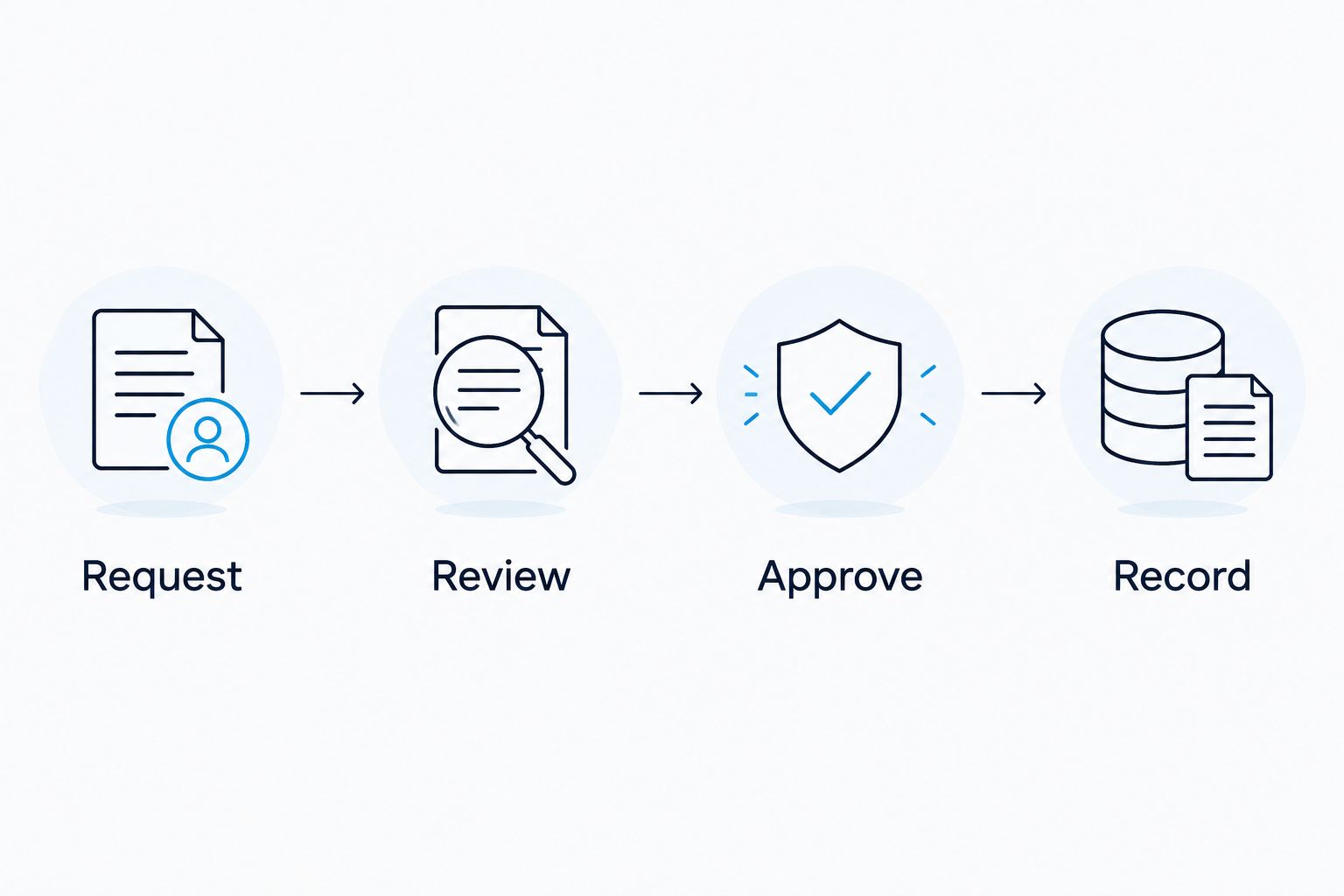
Separate routine actions from exceptions. Example approval structure, not a product capability: use the stages Request, Review, Approve, and Record. The point is a traceable decision, not a particular application. You should be able to find what was approved without reconstructing a conversation across several channels.
An approval tool is useful when it makes responsibility and status clearer. It becomes another task when the client must update it while continuing to approve everything somewhere else. Choose a single authoritative place for the decision and document how messages from other channels reach that record.
- List the changes covered by your operating authority.
- Name the client’s final approver and backup contact.
- Specify which exceptions require renewed approval.
- Record the approved scope alongside the decision.
- Keep the final decision separate from draft discussion.
Test a complete onboarding workflow
Use a controlled evaluation rather than judging tools from separate feature demonstrations. Start with your manual process, then repeat the same onboarding scenario in the candidate setup. Compare the work required to reach the same verified end state.
Example evaluation plan, not a benchmark or customer result: allocate 7 days to evaluate onboarding for 1 client account, including a 30-minute review of unresolved tasks. These are planning boundaries you can change, not expected completion times. Use only authorized account data and keep campaign changes within the client’s agreed scope.
For a 2026 tool review, test the awkward parts: a missing permission, an unanswered request, and a measurement issue that needs another person. A clean demonstration does not show how you will resume an interrupted onboarding. Record where you still need to copy information or chase a decision manually.
- Run the same scenario through each candidate process.
- Include a blocked task and an incomplete client response.
- Record manual copying, follow-ups, and repeated data entry.
- Check whether you can identify the next action immediately.
- Reject workflows that hide unresolved requirements behind a completed status.
Document the handoff into ongoing management
Finish onboarding with an operating record, not just a closed task list. Summarize account access, measurement status, approved objectives, decision boundaries, and outstanding issues. You should be able to understand the account’s starting state without reopening the entire intake conversation.
Keep the manual version readable outside any single application. Software can organize the record, but you still need to know how to retrieve it and what remains incomplete. This matters when you pause a subscription, change your process, or return to an account after time away.
Do not mark onboarding complete while a launch-critical dependency is unresolved. If the client accepts a limitation, record the limitation and that decision explicitly. Completion should mean the account meets your stated acceptance criteria, not that every requested field contains text.
- Summarize the approved objective and operating boundaries.
- Preserve the account and measurement baseline.
- List unresolved issues with named owners.
- Confirm where decisions and supporting evidence are stored.
- Test that you can retrieve the record without searching messages.
Compare onboarding options by the work they handle
Choose an option by the task it owns. These approaches can coexist, but each additional application needs a clear responsibility. Do not pay in administrative effort for overlapping task lists.
| Option | Best for | Practical advantage | Key limitation |
|---|---|---|---|
| Shared document or spreadsheet | Building your first repeatable onboarding process | Lets you define requirements and acceptance criteria directly | Requires manual follow-up and status updates |
| Advertising platform native controls | Granting account permissions and inspecting campaign settings | Keeps permission checks close to the account itself | Does not replace your cross-platform onboarding record |
| Task or intake software | Coordinating requests, owners, and unresolved dependencies | Provides a dedicated place to organize onboarding work | Requires client participation or operator-maintained updates |
| Reporting software | Reviewing connected performance data after measurement checks | Organizes reporting into a repeatable view | Does not prove the underlying conversion setup is correct |
| AdCrew OS autonomous ad campaign management | Solo operators evaluating autonomous campaign management | Positioning addresses managing more client accounts as one person | Pre-launch positioning does not establish onboarding capabilities |
Keep your selection tied to a specific operational problem. If your bottleneck is unanswered access requests, reporting software is not the first category to evaluate. If the onboarding process is already clear but ongoing campaign work consumes your capacity, assess campaign management separately.
Common mistakes one-person agencies make
Treating intake completion as account readiness
A completed form proves that the client submitted answers. It does not prove permissions work, measurement is correct, or approvals are sufficient. Close onboarding only after checking the evidence attached to each requirement.
Rebuilding the process for every client
Keep a standard core checklist, then add exceptions for the account’s scope. Otherwise, every new onboarding starts with remembering what you asked the previous client. Store exceptions visibly so they do not silently become requirements for everyone.
Buying campaign automation to fix client communication
Delayed approvals and unclear ownership need an explicit decision process. Campaign management software should be evaluated against campaign work, not used as a stand-in for an unanswered client request.
Keeping critical context only in messages
Messages are useful for discussion, but your operating record needs the final decision and its scope. Copy the outcome into the authoritative record rather than leaving yourself a future search task.
FAQ
What are the best PPC tools for onboarding agency clients?
The best PPC tools match the onboarding task you need to complete: access, intake, measurement, approvals, or reporting. Start with a manual checklist, then evaluate software against its unresolved handoffs.
Can I onboard PPC clients without dedicated onboarding software?
Yes, you can use a shared document or spreadsheet alongside the advertising platform’s native access controls. You still need clear owners, acceptance criteria, and a record of approvals.
Should I ask a PPC client for their account password?
Use the platform’s permission system instead of collecting the client’s password. Verify the permissions you receive and keep the client’s ownership separate from your agency’s access.
Does reporting software confirm that conversion tracking works?
No, a reporting interface does not establish that the underlying conversion event is correct. Verify the event and its relationship to the client’s business outcome before relying on the report.
What should I verify before considering onboarding complete?
Verify working access, measurement status, approved objectives, decision boundaries, and unresolved dependencies. Each requirement needs evidence or a clearly recorded exception.
Is AdCrew OS an onboarding tool for agencies?
AdCrew OS is positioned as autonomous ad campaign management for solopreneurs and one-person agencies, not as a confirmed onboarding tool. Its pre-launch positioning does not establish specific intake, approval, or permission-management capabilities.
How should a solo agency test new PPC software?
Test a complete, authorized workflow against your existing manual process. Include blocked tasks and incomplete responses so the evaluation covers recovery and follow-up, not just a clean demonstration.
One last thing
Your most useful 2026 onboarding test is an interruption: stop midway, return later, and identify the next required action. If you need to reread the entire client conversation, improve the record before adding software. Evaluate AdCrew OS against ongoing campaign-management needs separately from that onboarding test.
Use this final checklist before you accept the handoff:
- Working permissions are verified, not merely requested.
- Measurement status is documented with supporting evidence.
- Campaign objectives and decision boundaries are approved.
- Every unresolved issue has an owner and next action.
- The account’s starting state is understandable without message history.